Directive Analytics

Directive Blog

Directive Blogs

Directive has been serving the Oneonta area since 1993, providing IT Support such as technical helpdesk support, computer support, and consulting to small and medium-sized businesses.

Where Are They Now: Clippy

b2ap3_thumbnail_clippy400.jpgIt looks like you're trying to read a blog letter. Would you like help with that? If Microsoft's animated Office assistant Clippy were here, he would undoubtedly be on the corner of the page distracting you from getting anything done. The last time we saw Clippy was in 2003. What has Clippy been up these past ten years?

0 Comments
Continue reading

Tip of the Week: Match Word to Your Style

Microsoft Word’s massive cache of options and its relative ease of use are two of its defining characteristics. This presents organizations and users alike with a large set of different ways they can set up the word processor. Today, we will take you through Word, providing tips on how to change these settings so that you can get the most out of it.

0 Comments
Continue reading

Microsoft Word, an Odyssey

Microsoft Word has been one of the most utilized software titles in the history of personal computing. Despite heavy competition, millions of people use it every day as their daily word processor. Today, we’ll take a look at the history of Microsoft Word, and how it has come to become such a powerful and popular software title.

0 Comments
Continue reading

You Better Upgrade Windows 8.1...or Else!

b2ap3_thumbnail_windows_eight_point_one_400.jpgWell, that didn't take long. Eight months ago Microsoft released Windows 8.1 and now they're sounding the alarm that users better comply and install the latest updates or lose security support from Microsoft. What makes this news peculiar is that it took 12 years for Microsoft to reach the same verdict with its popular Windows XP operating system. What gives, Microsoft?

0 Comments
Continue reading

Microsoft 365 or Office 365: What Product Is Right for Your Business?

As we’re sure you already know, Microsoft has become a juggernaut in the increasingly competitive business world with its countless solutions for organizations both small and large. With so many options, it can be tricky to figure out the right solution for your business. Thankfully, you don’t have to go about it alone. We’ll help you understand the difference between Microsoft’s Office 365 and Microsoft 365 solution… and yes, they are different.

0 Comments
Continue reading

Bing Offers Malware and Filth

With a meager market share that is one-third the size of Google’s, one would think that Bing would be trying to keep controversy away from a user’s search results. However, the Microsoft search engine has recently encountered a few notable PR disasters that may be enough to convince some not to use it - especially if it leads to a security breach.

0 Comments
Continue reading

Tip of the Week: How OneNote Helps Your Project Management

Microsoft OneNote is an extremely useful application in the professional setting, with plenty of features and capabilities to assist in keeping you and your employees organized. These features are actually comprehensive enough that OneNote could feasibly serve as your project management tool. For this week’s tip, we’ll review how.

0 Comments
Continue reading

Tip of the Week: How to Calculate Basic Math Problems Using Microsoft Word

You know Microsoft Word as the great word processor that your business relies on to compose documents of all kinds. However, Microsoft Word is much more flexible and versatile than you might think. Did you know that you can perform simple calculations in your Microsoft Word document in a quick and efficient way?

0 Comments
Continue reading

Tip of the Week: Did You Know About These Windows Features?

Does your business use Windows 10? If so, there are all sorts of hidden tips and tricks that can help you gain even more value from your workstations that are running Windows 10. Here are a few of these secrets and how they can help your staff save time.

0 Comments
Continue reading

Tip of the Week: 3 More Useful Microsoft Word Features

Microsoft Word has long since established itself as the primary word processing software in the business world, but even some power users don’t necessarily know about all of the hidden features that exist in it. Here are three of the best Word capabilities that you’ll be sure to use next time you’re in a pinch.

0 Comments
Continue reading

Tip of the Week: Cortana Can Help You Cheer On Your Team

It’s football season once again, and this year, we want to show you how to set up Cortana to follow your favorite teams--football or otherwise. It’s actually easier than you might think! Before we begin, remember that this only works on devices that have Cortana, so it will likely need to be set up on your Windows PC.

0 Comments
Continue reading

Is the New, Stripped-Down Version of Windows 10 Practical for SMBs?

Google Chromebooks run a streamlined version of the Chrome OS to offer users a relatively decent browsing experience, despite the device’s limitations. But what if Microsoft created a similar operating system? Well, they did just that with Windows 10 S, which is designed to be used with less processing power than the current operating system.

0 Comments
Continue reading

Windows Ink Adds An Extra Dimension To Your Business Computing

Your technology is a gateway to productivity, and Microsoft has managed to put together a great way to use it with their latest operating system. In Windows 10, you can use Windows Ink to doodle or take notes on your screen while using a Microsoft application like Word, PowerPoint, or OneNote.

0 Comments
Continue reading

3 SharePoint Considerations Businesses Should Have

Businesses are always looking for a way to make their projects more successful. While many organizations have found success by integrating Microsoft SharePoint project collaboration software, some have found it to be a giant headache to manage, or even completely unnecessary. No matter where your business falls on this spectrum, there are some best practices in utilizing SharePoint to get the most out of the platform. Here are three considerations your team should make when you settle on SharePoint for project collaboration.

0 Comments
Continue reading

Understanding the Importance of .Net Framework

If you’re a habitual user of the Microsoft Windows operating system, there’s a relatively good chance that you’ve been prompted to install something called “.NET framework.” Pronounced “dot-net,” this framework is most commonly used for Windows. In this blog, we’ll go over what a software framework is and is for, as well as examine what makes .NET stand out.

0 Comments
Continue reading

Windows 8 - An OS for Every Occasion

windows 8 dashboard

Windows 8? Doesn't it feel like Windows 7 just came out? Windows 7 isn't being replaced anytime soon; the latest operating system by Microsoft hasn't even been out for two years, but that doesn't mean Microsoft isn't cooking up their next incarnation. Microsoft has always kept small businesses in mind as well as the residential consumer, so will Windows 8 stick with the same trend?

0 Comments
Continue reading

What's New in Windows 8

windows 8 dashboard

There's a lot of buzz around Windows 8 for technology lovers, and for good reason. Microsoft is making it's next operating system dramatically different than previous incantations, and it sounds like we'll be seeing a lot of this OS in the future on a lot of different platforms, ranging from desktops and notebooks to tablets, and possibly even more.

0 Comments
Continue reading

What Office 365 Can Do for Oneonta Small Businesses

microsoft icon

At the beginning of the month, Microsoft officially launched Office 365. What makes this Office different from the other Office suites that Microsoft has released is that Office 365 doesn't run on your computer, it runs on a cloud server. All of your data is stored securely in the cloud on Microsoft's servers. This is great for smaller Oneonta businesses that need to access their files from anywhere but don't currently have the infrastructure in-house to make it happen.

0 Comments
Continue reading

Tutorial: Master the Art of the Mail Merge, Part 2

laptop mail

Last time we spoke about creating your contact list in Excel when performing a mail merge. Of course, you can also use your Outlook contacts, and if you are running any sort of CRM software it is pretty likely it exports its own spreadsheet that can be used in a mail merge. Let's go over how to perform a mail merge now that you have your list.

0 Comments
Continue reading

Tutorial: Master the Art of the Mail Merge, Part 1

excel screenshot

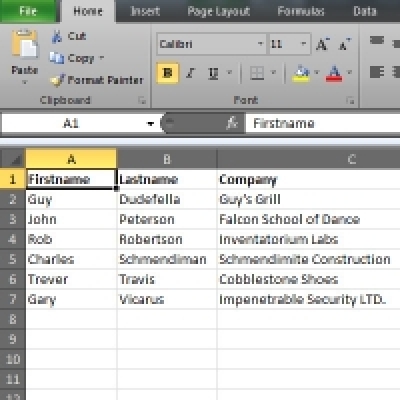
Want to send out a large number of documents that are almost the same aside from a few specific areas? One example would be a letter to all of your existing clients about a new product or service, but you want each letter to address the recipient's name and company. This looks like a job for the mail merge!

0 Comments
Continue reading

Recent News

Our business began its journey with the purchase of a personal computer back in 1992. This purchase ignited a passion with Chris Chase, our CEO, and there was no stopping its momentum. Less than one year later, he had his first IT support client (and...

Understanding IT

Get the Knowledge You Need to Make IT Decisions

Technology is constantly evolving, and keeping up can feel overwhelming. Whether you want to understand cybersecurity threats, explore automation, or learn how regulations like PCI DSS impact your business, we’ve made it easy to access clear, straightforward insights on key IT topics.

Insights to Understanding IT

Contact Us

330 Pony Farm Road Suite #2
Oneonta, New York 13820

Mon to Fri 9:00am to 6:00pm

support@directive.com

(607) 433-2200